Head to head
Squishy Circuits vs Snap Circuits
Both teach that a circuit must be a complete loop. One teaches it with clay; the other with a numbered manual.
By Sawyer V. · Published
The short answer
Snap Circuits Classic publishes 305 numbered projects at 8+ — the deeper, longer purchase. Squishy Circuits publishes conductive and insulating dough with 25 LEDs and a buzzer — the more tactile, open-ended one, though its maker page states no age. Snap for depth; Squishy for hands.
Block & Beaker earns a commission when you buy through our links, at no cost to you. It never changes a ranking, and we say so plainly when the right answer is the cheaper set, or nothing at all. Full disclosure · How we pick.
At a glance
The picks, ranked
Tap any row to jump to the full reasoning. Prices come live from Amazon where we have them and read “check price” where we don’t — never a number we cannot stand behind today.
| # | Product | Best for | Price |
|---|---|---|---|
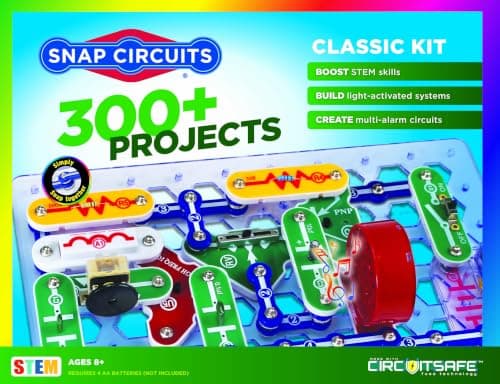
| 1 | Better for depth Snap Circuits Classic 305 numbered projects from 60+ parts, nothing consumed. | Eight and up, for years of projects | |
| 2 | 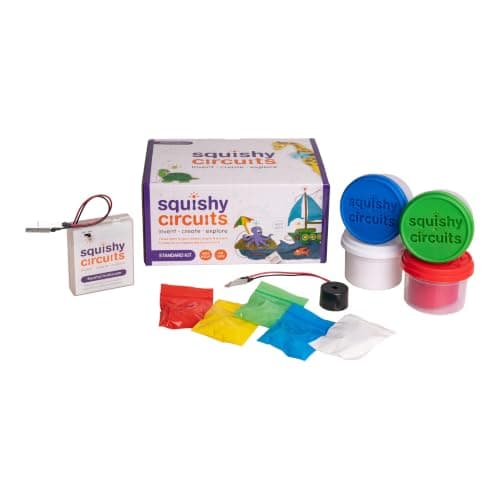 Better for hands Squishy Circuits Standard Kit Conductive and insulating dough, 25 LEDs in five colors and a buzzer. | A child who learns by touch and shaping | |
| 3 | A third route Circuit Scribe Basic Kit A conductive ink pen and 6 modules — the circuit is a line on paper. | A child who draws | Sold direct by Circuit Scribe → Not stocked on Amazon. This link goes to the maker and we earn nothing on it. |
| — | 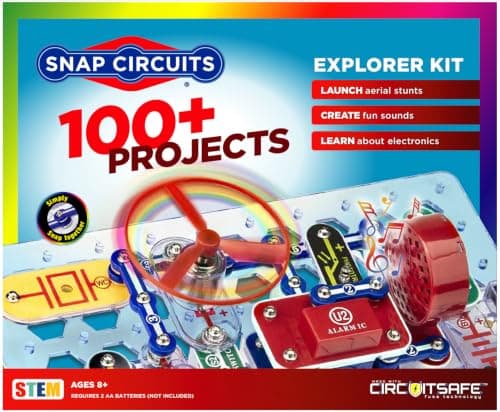 Not the compromise Snap Circuits Jr. Often suggested as a smaller Snap to try first, and its projects are all in the Classic manual. | Eight and up, as a smaller Snap set |
4 picks, including 1 we tell you to skip. Ages shown are the manufacturer’s own rating, not ours.
Side by side
The arithmetic
Published specifications
| Format | Squishy: dough | Snap: snap parts on a baseplate |
|---|---|
| Content | Squishy: open-ended | Snap: 305 numbered projects |
| Components | Squishy: 25 LEDs, buzzer | Snap: 60+ parts |
| Stated age | Squishy: not published on maker page | Snap: 8+ |
| Batteries | Squishy: not published | Snap: 4 x AA, not included |
Two routes to one idea
Both kits teach the single concept that matters most in a first circuit: current needs a complete loop. Snap Circuits teaches it through a diagram the child follows. Squishy Circuits teaches it through clay the child shapes.
Neither is better in the abstract. A child who happily follows instructions will thrive on Snap; a child who learns by touching and making will thrive on dough.
Where Snap Circuits wins
Depth. The Classic’s 305 projects are years of content, and the published 5.1 projects-per-part ratio means each part is reused in many circuits.
Where Squishy Circuits wins
Tactility and insulation. In Squishy Circuits, a dough that blocks current, pressed into a gap, is a clearer lesson in insulation than any snap part — and the open format means the child invents the circuit.
Worth knowing before you buy
Squishy Circuits’ dough is a play material; keep it from any child who still mouths things. Snap Circuits publishes a not-for-under-threes warning.
Say the unwelcome thing
Do not buy dough for a child who wants a manual
Squishy Circuits is open-ended and light on structure. A child who needs a numbered next step will find a blob of clay and some LEDs directionless — Snap is built for exactly that child.
Where to go next
Circuit kits for kids compares all four formats. The Snap Circuits Classic review goes deeper on Snap.
In full
Every pick, and what is wrong with it
Published specifications only, each linked back to the page it came from. Where a manufacturer publishes nothing, the row says so — we do not fill blanks in.
1. Better for depth
Snap Circuits Classic
Elenco · SC-300 · maker rates it 8+
305 numbered projects from 60+ parts, nothing consumed.
- Projects
- “Build over 300 exciting projects” — manual covers projects 1-305
- Parts
- “Contains over 60 Snap-Together parts”
- Projects per part
- 5.1 — the highest ratio in the line
- Stated age
- “Ages 8+” and “Not for Children under 3 yrs.”
Elenco publishes over 300 projects with the manual covering projects 1-305, over 60 snap-together parts and a 5.1 projects-per-part ratio, rated 8+, requiring four AA batteries not included.
Three hundred and five projects is the specification Squishy Circuits cannot match. At one a week it is six years, with no consumables.
Replay signal
- Open-ended or one-shot
- The sweet spot of the line — enough parts to invent with, cheap enough not to be an event
- Does anything run out
- Nothing runs out
- Room to grow
- 305 published projects is years of Sunday afternoons at one a week
Why we say so: Elenco publishes 305 numbered projects against 60+ parts. Five projects per part is the highest ratio anywhere in the Snap Circuits line, which is the arithmetic reason this is the set to buy rather than the cheap one or the big one.
What’s wrong with it
Four AA batteries, not included, and a diagram-led format.
| Projects | “Build over 300 exciting projects” — manual covers projects 1-305 |
|---|---|
| Parts | “Contains over 60 Snap-Together parts” |
| Projects per part | 5.1 — the highest ratio in the line |
| Stated age | “Ages 8+” and “Not for Children under 3 yrs.” |
| Batteries | “Requires 4 ‘AA’ batteries (not included)” |
| Relationship to SC-100 | Manual includes all SC-100 projects plus 200 new ones |
Every figure above is from Elenco, Snap Circuits Classic. Blanks are shown as “not published” rather than filled in.
2. Better for hands
Squishy Circuits Standard Kit
Squishy Circuits · Standard Kit · maker rates it Not published on the maker's product page
Conductive and insulating dough, 25 LEDs in five colors and a buzzer.
- Conductive dough
- 3 containers, 3.5 oz each — red, green and blue
- Insulating dough
- 1 container, 3.5 oz, white
- LEDs
- 25 — 5 each of red, green, white, yellow and blue
- Also included
- 1 battery holder and 1 piezoelectric buzzer
Squishy Circuits publishes three 3.5 oz containers of conductive dough, one of insulating dough, 25 LEDs — five each of red, green, white, yellow and blue — a battery holder and a piezoelectric buzzer.
The insulating dough is the clever part. Pressing it into a gap and watching the LED go out teaches insulation physically, in a way a snap part never makes visible.
The maker’s product page states neither an age rating nor a battery type, which we note rather than guess.
Replay signal
- Open-ended or one-shot
- Open-ended — the dough is shaped into whatever circuit the child imagines
- Room to grow
- Twenty-five LEDs in five colors is enough for circuits with several branches
Why we say so: Squishy Circuits publishes two doughs — three containers that conduct and one that insulates — plus 25 LEDs and a buzzer. Two doughs is the whole design: one carries current and one blocks it, so a working circuit is built by shaping clay rather than by following a diagram.
What’s wrong with it
No published age or battery type, and no numbered project ladder.
| Conductive dough | 3 containers, 3.5 oz each — red, green and blue |
|---|---|
| Insulating dough | 1 container, 3.5 oz, white |
| LEDs | 25 — 5 each of red, green, white, yellow and blue |
| Also included | 1 battery holder and 1 piezoelectric buzzer |
| Stated age | Not published on the maker's product page |
| Battery requirement | Not published on the maker's product page |
Every figure above is from Squishy Circuits, Standard Kit. Blanks are shown as “not published” rather than filled in.
3. A third route
Circuit Scribe Basic Kit
Circuit Scribe · Basic Kit · maker rates it Not published
A conductive ink pen and 6 modules — the circuit is a line on paper.
- Modules
- 6 — a 9V battery adapter with 9V battery, 2 LEDs, a switch, a blinker and a dimmer
- Pen
- Conductive ink pen — draws working circuits on paper
- Also included
- Circuit stencil, jumper sticker sheet, steel canvas
- Projects
- Inventor's Notebook with 8 pages of circuit drawing projects
Circuit Scribe publishes a conductive ink pen and six modules including a blinker and a dimmer, a steel canvas and an 8-page notebook. It publishes no age for this kit.
If neither dough nor snaps suits the child, drawing is a genuine third way.
Replay signal
- Open-ended or one-shot
- Open-ended once the notebook is done — any drawing can become a circuit
- Does anything run out
- The ink runs out; the six modules and the steel canvas do not
- Room to grow
- A Basic Kit Plus publishes a 27-page workbook covering series, parallel and short circuits
Why we say so: Circuit Scribe publishes six magnetic modules including a blinker and a dimmer, a conductive ink pen and a steel canvas. Drawing the wire is the specification that matters — the child sees the circuit as a line they made, which is closer to a real schematic than any snap-together format.
What’s wrong with it
Only 6 modules, and the ink runs out.
| Modules | 6 — a 9V battery adapter with 9V battery, 2 LEDs, a switch, a blinker and a dimmer |
|---|---|
| Pen | Conductive ink pen — draws working circuits on paper |
| Also included | Circuit stencil, jumper sticker sheet, steel canvas |
| Projects | Inventor's Notebook with 8 pages of circuit drawing projects |
| Stated age | Not published — Circuit Scribe calls it “an entry level kit” |
| Where to buy | Direct from Circuit Scribe; Amazon no longer carries this kit |
| Consumables | The pen's ink is used up; modules and canvas are reusable |
Every figure above is from Circuit Scribe, Basic Kit. Blanks are shown as “not published” rather than filled in.
Not stocked on Amazon. This link goes to the maker and we earn nothing on it.
Skip this one
Snap Circuits Jr.
Elenco · SC-100 · maker rates it 8+
Often suggested as a smaller Snap to try first, and its projects are all in the Classic manual.
- Projects
- Over 100
- Parts
- 30
- Projects per part
- 3.3
- Stated age
- Ages 8+
Elenco publishes Snap Circuits Jr. at over 100 projects from 30 parts, and publishes that the Classic manual contains all of them plus 200 more.
If the question is dough versus snaps, a small Snap set does not answer it. It is the same format with less in it.
Replay signal
- Open-ended or one-shot
- Semi-open. The manual is a ladder, but 30 parts is enough vocabulary to go off-book
- Does anything run out
- Nothing runs out
- Room to grow
- Every SC-100 project is reprinted in the SC-300 manual, so the step up loses nothing
Why we say so: Elenco publishes over 100 projects from 30 parts, and publishes that the SC-300 manual contains all of the SC-100 projects plus 200 more. That overlap is what makes the upgrade path a genuine upgrade rather than a re-buy.
What’s wrong with it
The Classic manual already contains its projects.
| Projects | Over 100 |
|---|---|
| Parts | 30 |
| Projects per part | 3.3 |
| Stated age | Ages 8+ |
| Projects include | FM radio, AM radio, digital voice recorder, burglar alarm, doorbell |
| Tools needed | None — snap-together parts “require no tools and ensure correct connections” |
| Consumables | None |
Every figure above is from Elenco, Snap Circuits Jr. 100 Experiments. Blanks are shown as “not published” rather than filled in.
We are not putting a buy button on this one. It is easy enough to find if you want it anyway — but we would rather send you to something that gets played with twice.
Questions people actually ask
Frequently asked
Is Squishy Circuits or Snap Circuits better?
Snap Circuits Classic publishes 305 numbered projects at 8+, which is the deeper, longer purchase. Squishy Circuits publishes conductive and insulating dough with 25 LEDs and a buzzer, which is more tactile and open-ended. Choose Snap for depth, Squishy for a child who learns with their hands.
What age is Squishy Circuits for?
The maker's product page does not publish an age rating, so we will not state one. It is a dough-based kit, and the dough should be kept from children who still mouth things.
Do Squishy Circuits and Snap Circuits teach the same thing?
The same core idea — a circuit must form a complete loop — by different routes. Snap Circuits teaches it through a diagram; Squishy Circuits through shaping dough, including an insulating dough that visibly blocks current.
Does Squishy Circuits need batteries?
It includes a battery holder, but the maker's product page does not publish the battery type, so we note it as unpublished. Snap Circuits Classic publishes four AA batteries, not included. The battery guide.
Sources
Where these figures came from
Every specification on this page traces to one of these. If a manufacturer publishes nothing on a point, the page says so rather than filling the gap.
Read next
Where to go from here
Back to Electronics, or read how we pick.