The picks
Electronics Kits for Teenagers
The snap-together format is designed to be un-losable, which is right for a child and limiting for a sixteen-year-old.
By Sawyer V. · Published
The short answer
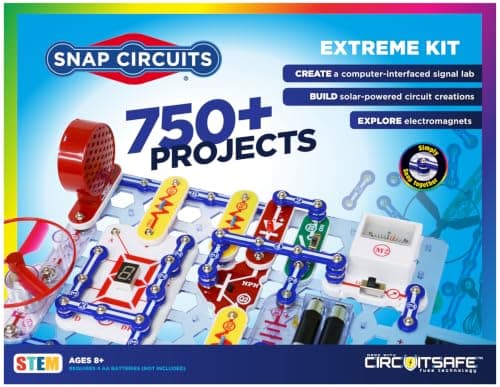
For a teenager the published figure to buy on is projects per part. Snap Circuits Extreme publishes over 750 projects against over 80 parts — 9.4 each, the highest ratio in the line — and Snap Circuits Pro publishes 73 computer-interfaced experiments, which is the bridge from circuits to code.
Block & Beaker earns a commission when you buy through our links, at no cost to you. It never changes a ranking, and we say so plainly when the right answer is the cheaper set, or nothing at all. Full disclosure · How we pick.
At a glance
The picks, ranked
Tap any row to jump to the full reasoning. Prices come live from Amazon where we have them and read “check price” where we don’t — never a number we cannot stand behind today.
| # | Product | Best for | Price |
|---|---|---|---|
| 1 | Best ratio Snap Circuits Extreme Over 750 projects against over 80 parts — 9.4 projects per part, the highest anywhere in the line. | A teenager who wants the largest published project list | |
| 2 | 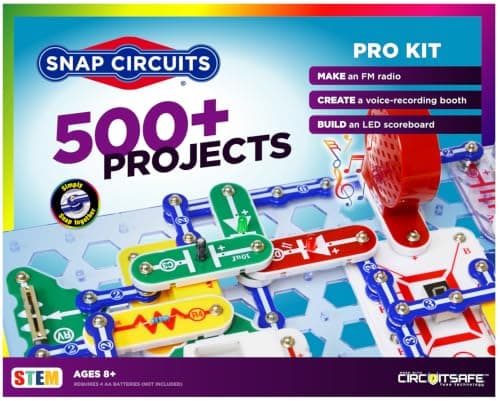 Best bridge to code Snap Circuits Pro Publishes 73 computer-interfaced experiments, which connects circuits to a machine. | A teenager who already programs | |
| 3 | 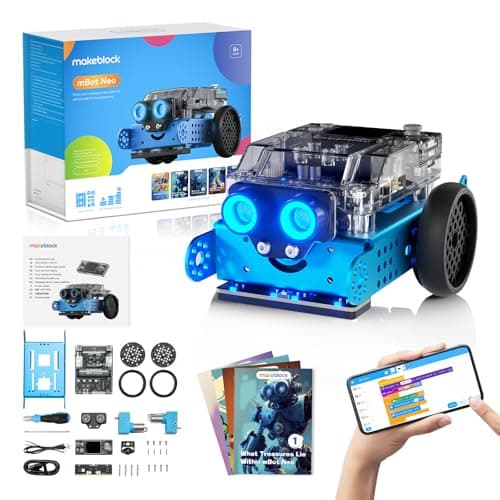 Best for programming hardware Makeblock mBot Neo (mBot2) Published for Python, AI and IoT learning — a real language on real hardware. | Eight and up, and genuinely still interesting at fifteen | |
| 4 | 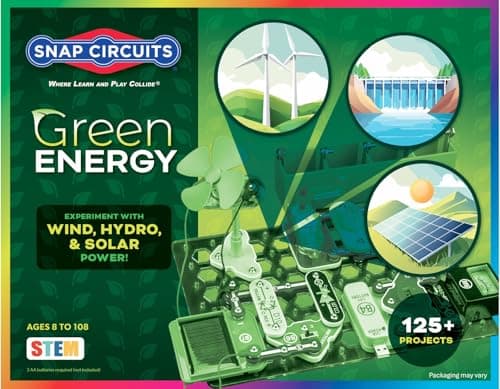 Best themed set Snap Circuits Green Alternative-energy projects, which is a real subject rather than a gimmick. | A teenager interested in energy specifically | |
| — | 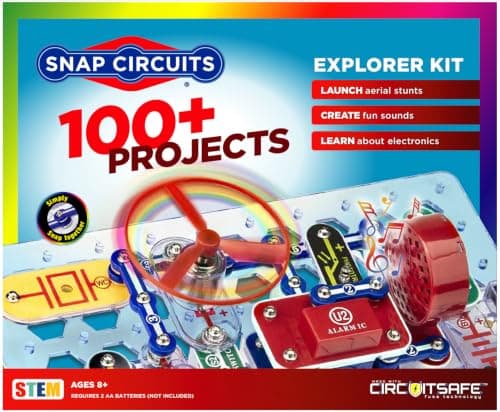 Not for a teenager Snap Circuits Jr. Sometimes bought as a cheap way into the line, and it is aimed a decade earlier. | Five to seven |
5 picks, including 1 we tell you to skip. Ages shown are the manufacturer’s own rating, not ours.
What changes at thirteen
Two things. The first is that the snap-together format starts to read as a toy — plastic modules that cannot be connected wrongly are a design for small hands and short patience, and a teenager notices.
The second is that a teenager can hold a bigger goal. A child builds project 47 because it is next. A teenager wants to build a thing that does something they chose, which needs a set with enough parts to improvise with.
The arithmetic
Projects per part, published across the line
| Snap Circuits Extreme | 750+ projects / 80+ parts = 9.4 |
|---|---|
| Snap Circuits Pro | 500+ projects / 75+ parts = 6.7 |
| Snap Circuits Classic | 305 projects / 60+ parts = 5.1 |
| Pro, computer-interfaced | 73 experiments |
| Consumables, all sets | None |
The honest limitation of every kit on this page
None of these involves soldering, breadboards or discrete components, and a teenager heading for electronics as a subject will eventually want all three. We are not going to recommend specific soldering equipment, because we have not tested any and this is a category where an unverified recommendation could put a fifteen-year-old in front of a hot iron with bad advice.
What we can say from the published specifications is where these kits stop: they teach what a circuit does and how components combine, using parts that cannot be damaged or wired dangerously. That is a real foundation and it is not the whole subject.
Worth knowing before you buy
Everything on this page runs on AA cells or USB and is rated 8+. That is deliberate. Mains-powered electronics projects are a different category with different risks, and nothing here should be treated as preparation for working on anything that plugs into a wall.
Choosing between them
If the teenager likes building: Extreme, for the ratio and the sheer size of the project list.
If the teenager already codes: Pro, for the 73 computer-interfaced experiments — that is the set that connects to something they can already do.
If the interest is robots rather than circuits: mBot Neo, published for Python. See also robot kits for teens.
Say the unwelcome thing
Do not buy a beginner set to save money
A teenager given a set aimed at eight-year-olds finishes it in an evening and decides the subject is beneath them. That is a worse outcome than buying nothing, because it closes a door rather than leaving it shut.
Where to go next
Snap Circuits: every set compared has the full line. STEM kits for teens covers the wider category, and solar and energy kits covers the energy angle.
In full
Every pick, and what is wrong with it
Published specifications only, each linked back to the page it came from. Where a manufacturer publishes nothing, the row says so — we do not fill blanks in.
1. Best ratio
Snap Circuits Extreme
Elenco · SC-750 · maker rates it 8+
Over 750 projects against over 80 parts — 9.4 projects per part, the highest anywhere in the line.
- Projects
- Over 750
- Parts
- Over 80
- Projects per part
- 9.4
- Adds over the SC-500
- Solar, electromagnetism, vibration switches, and 70 computer-interfaced projects
Elenco publishes over 750 projects and over 80 parts, rated 8+, with no consumables.
At 9.4 projects per part this is the most efficient set Elenco makes. Every component appears in nine different circuits, which is the arithmetic definition of a set that teaches recombination rather than instruction-following.
Be honest about the format though. Snap parts are color-coded plastic modules designed so nothing can be wired wrongly. That is exactly right at eight and it is the thing a fifteen-year-old will find childish.
Replay signal
- Open-ended or one-shot
- As open as the line gets
- Does anything run out
- Nothing runs out
- Room to grow
- Nowhere further to go inside Snap Circuits, which is either the point or the problem
Why we say so: Elenco publishes 750+ projects from 80+ parts and names solar, electromagnetism and vibration switches as the additions over the SC-500. Watch the shape of those numbers: parts rise from 75 to 80 while projects rise from 500 to 750, so most of what you are paying for is more manual, not more components.
What’s wrong with it
Still the snap-together format, which no teenager will mistake for real components.
| Projects | Over 750 |
|---|---|
| Parts | Over 80 |
| Projects per part | 9.4 |
| Adds over the SC-500 | Solar, electromagnetism, vibration switches, and 70 computer-interfaced projects |
| Stated age | Ages 8+ |
| Consumables | None |
Every figure above is from Elenco, Snap Circuits Extreme. Blanks are shown as “not published” rather than filled in.
2. Best bridge to code
Snap Circuits Pro
Elenco · SC-500 · maker rates it 8+
Publishes 73 computer-interfaced experiments, which connects circuits to a machine.
- Projects
- “Build over 500 exciting projects”
- Parts
- “Contains over 75 snap-together parts”
- Computer-interfaced experiments
- “Includes 73 computer interfaced experiments”
- Projects per part
- 6.7
Elenco publishes over 500 projects, over 75 snap-together parts, 73 computer-interfaced experiments, rated 8+, requiring four AA batteries.
The 73 computer-interfaced experiments are the reason to choose this over Extreme. A circuit that a computer can read or drive is the point at which electronics stops being a separate hobby from programming, and for a teenager already writing code that is the interesting frontier.
Replay signal
- Open-ended or one-shot
- Open-ended, and the computer-interfaced projects give it somewhere to go after the manual
- Does anything run out
- Nothing runs out
- Room to grow
- 73 published computer-interfaced experiments is a second product hiding inside the first
Why we say so: Elenco publishes 500+ projects from 75+ parts and specifically 73 computer-interfaced experiments. That last number is the only thing separating the Pro from the Classic, and it is the only reason to pay the difference.
What’s wrong with it
6.7 projects per part is a lower ratio than Extreme, and it needs 4 AA batteries.
| Projects | “Build over 500 exciting projects” |
|---|---|
| Parts | “Contains over 75 snap-together parts” |
| Computer-interfaced experiments | “Includes 73 computer interfaced experiments” |
| Projects per part | 6.7 |
| Stated age | “Ages 8+” |
| Batteries | “Requires 4 ‘AA’ batteries (not included)” |
Every figure above is from Elenco, Snap Circuits Pro. Blanks are shown as “not published” rather than filled in.
3. Best for programming hardware
Makeblock mBot Neo (mBot2)
Makeblock · mBot2 · maker rates it 8+
Published for Python, AI and IoT learning — a real language on real hardware.
- Controller
- CyberPi — Xtensa 32-bit LX6 dual-core at 240 MHz, 8 MB flash, 8 MB PSRAM
- Programming
- Scratch-style blocks, Python in mBlock, and Arduino C/C++ via the Arduino IDE
- Sensors
- On-board light, microphone, gyroscope and accelerometer, plus ultrasonic, quad RGB, temperature and IR modules
- Battery
- Built-in 2500 mAh LiPo, about 1 hour to charge, about 5 hours of play
Makeblock publishes the mBot Neo for Python, AI and IoT learning, rated 8+.
The published Python line is what separates this from every block-coding robot. A teenager writing Python on a robot is doing the same thing an engineer does, in a smaller way, and the skill does not expire when the toy does.
Replay signal
- Open-ended or one-shot
- Open-ended at the top of the range — this is the one a child does not outgrow at eleven
- Does anything run out
- Nothing runs out; rechargeable
- Room to grow
- Blocks, then Python, then Arduino C on the same robot, with 60+ add-on modules
- Adult required
- Not for driving it. Probably for the first Python session
Why we say so: Makeblock publishes the processor, the three programming environments on one robot, the 2500 mAh battery figures and the 60+ compatible modules. Blocks-to-Python-to-C on one chassis is the published upgrade path, and it is why this survives the year a child gets bored of pressing buttons.
What’s wrong with it
A robot rather than a circuits kit, so it teaches control rather than electronics.
| Controller | CyberPi — Xtensa 32-bit LX6 dual-core at 240 MHz, 8 MB flash, 8 MB PSRAM |
|---|---|
| Programming | Scratch-style blocks, Python in mBlock, and Arduino C/C++ via the Arduino IDE |
| Sensors | On-board light, microphone, gyroscope and accelerometer, plus ultrasonic, quad RGB, temperature and IR modules |
| Battery | Built-in 2500 mAh LiPo, about 1 hour to charge, about 5 hours of play |
| Expansion | 60+ compatible modules, up to 10 connected at once, 8 motor and servo ports |
| Stated age | Ages 8+ |
Every figure above is from Makeblock, mBot2 coding robot kit. Blanks are shown as “not published” rather than filled in.
4. Best themed set
Snap Circuits Green
Elenco · SCG-125 · maker rates it 8+
Alternative-energy projects, which is a real subject rather than a gimmick.
- Projects
- Over 125
- Parts
- 45+
- Projects per part
- 2.8
- Stated age
- Ages 8 and up
Green is the one themed set in the line that earns its place for an older child, because energy generation is a subject a teenager can connect to something they already care about.
It is still a supplement. Buy it after a general set, never instead of one.
Replay signal
- Open-ended or one-shot
- Themed rather than general-purpose, which narrows it
- Does anything run out
- Nothing runs out
- Room to grow
- Parts are cross-compatible with the rest of the Snap Circuits line
Why we say so: Elenco publishes 125+ projects from 45+ parts for the Green set. Against the Classic's 305 projects from 60+ parts, the Green set is a theme rather than a step up — worth knowing before you buy it as one.
What’s wrong with it
A theme narrows the project list, which is wrong for a first set and fine for a fourth.
| Projects | Over 125 |
|---|---|
| Parts | 45+ |
| Projects per part | 2.8 |
| Stated age | Ages 8 and up |
| Focus | Alternative energy |
| Consumables | None |
Every figure above is from Elenco, Snap Circuits Green. Blanks are shown as “not published” rather than filled in.
Skip this one
Snap Circuits Jr.
Elenco · SC-100 · maker rates it 8+
Sometimes bought as a cheap way into the line, and it is aimed a decade earlier.
- Projects
- Over 100
- Parts
- 30
- Projects per part
- 3.3
- Stated age
- Ages 8+
Snap Circuits Jr. is a genuinely good introduction for a young child and a waste of money for a teenager. The project list is short, the parts count is low, and a fifteen-year-old will finish it in an evening and conclude the whole category is for children.
If budget is the constraint, buy the Classic set rather than the junior one — see every set compared.
Replay signal
- Open-ended or one-shot
- Semi-open. The manual is a ladder, but 30 parts is enough vocabulary to go off-book
- Does anything run out
- Nothing runs out
- Room to grow
- Every SC-100 project is reprinted in the SC-300 manual, so the step up loses nothing
Why we say so: Elenco publishes over 100 projects from 30 parts, and publishes that the SC-300 manual contains all of the SC-100 projects plus 200 more. That overlap is what makes the upgrade path a genuine upgrade rather than a re-buy.
What’s wrong with it
The shortest project ladder in the range, with the lowest ratio.
| Projects | Over 100 |
|---|---|
| Parts | 30 |
| Projects per part | 3.3 |
| Stated age | Ages 8+ |
| Projects include | FM radio, AM radio, digital voice recorder, burglar alarm, doorbell |
| Tools needed | None — snap-together parts “require no tools and ensure correct connections” |
| Consumables | None |
Every figure above is from Elenco, Snap Circuits Jr. 100 Experiments. Blanks are shown as “not published” rather than filled in.
We are not putting a buy button on this one. It is easy enough to find if you want it anyway — but we would rather send you to something that gets played with twice.
Questions people actually ask
Frequently asked
Which Snap Circuits set is best for a teenager?
Extreme, on the published arithmetic — over 750 projects against over 80 parts is 9.4 projects per part, the highest ratio in the line. If the teenager already programs, Pro is the better choice because Elenco publishes 73 computer-interfaced experiments that connect circuits to a machine.
Are Snap Circuits too childish for a teenager?
The format is honestly aimed younger — snap-together modules are designed so nothing can be wired wrongly, which is right for an eight-year-old. The larger sets earn their place on project count and ratio, but a teenager heading for electronics as a subject will eventually want breadboards and discrete components.
What electronics kit teaches real programming?
The Makeblock mBot Neo is published for Python, AI and IoT learning at 8+, which means a real language on real hardware rather than a block editor. Snap Circuits Pro publishes 73 computer-interfaced experiments, which is the circuits-side version of the same bridge.
Do electronics kits for teens need batteries?
Snap Circuits Pro publishes a requirement for four AA batteries, not included, and the rest of the line is the same. Nothing in these kits is consumable, so batteries are the only ongoing cost. The battery guide.
Sources
Where these figures came from
Every specification on this page traces to one of these. If a manufacturer publishes nothing on a point, the page says so rather than filling the gap.
Read next
Where to go from here
Back to Electronics, or read how we pick.