The picks
Circuit Kits for Kids
There are four ways to build a first circuit, and each suits a different child. The published contents tell you which is which.
By Sawyer V. · Published
The short answer
Pick the format, then the kit. Snap Circuits Classic publishes 305 projects at 8+ and is the best general first kit. Squishy Circuits builds circuits from conductive dough; Circuit Scribe draws them in conductive ink; littleBits snaps sensors to motors at grades 2-7. Each teaches the same complete-loop idea a different way.
Block & Beaker earns a commission when you buy through our links, at no cost to you. It never changes a ranking, and we say so plainly when the right answer is the cheaper set, or nothing at all. Full disclosure · How we pick.
At a glance
The picks, ranked
Tap any row to jump to the full reasoning. Prices come live from Amazon where we have them and read “check price” where we don’t — never a number we cannot stand behind today.
| # | Product | Best for | Price |
|---|---|---|---|
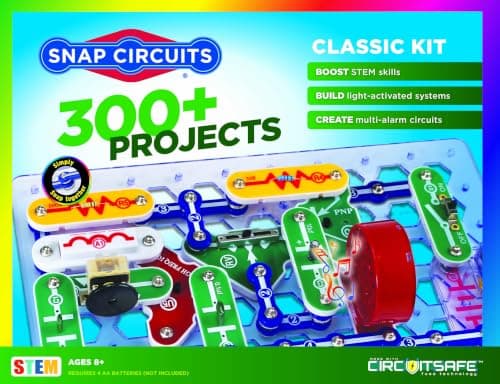
| 1 | Best first circuit kit Snap Circuits Classic 305 published projects from 60+ parts — 5.1 per part, the best ratio in the line. | Eight and up, as the one electronics set a household buys | |
| 2 | 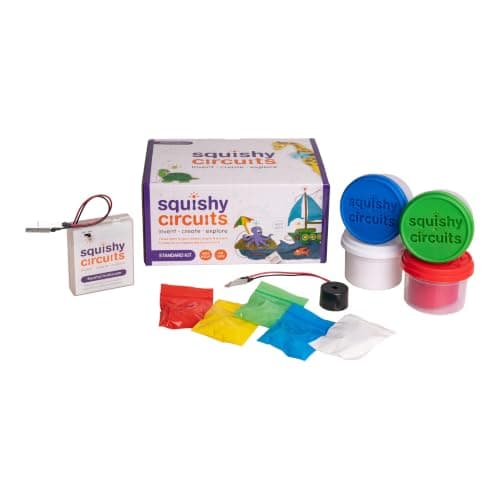 Best hands-on format Squishy Circuits Standard Kit Conductive and insulating dough, 25 LEDs and a buzzer — circuits built by shaping clay. | A child who learns by touch rather than by diagram | |
| 3 | Best for a child who draws Circuit Scribe Basic Kit A conductive ink pen and 6 magnetic modules, so the child draws the wire. | A child who wants the circuit to look like a diagram | Sold direct by Circuit Scribe → Not stocked on Amazon. This link goes to the maker and we earn nothing on it. |
| 4 | 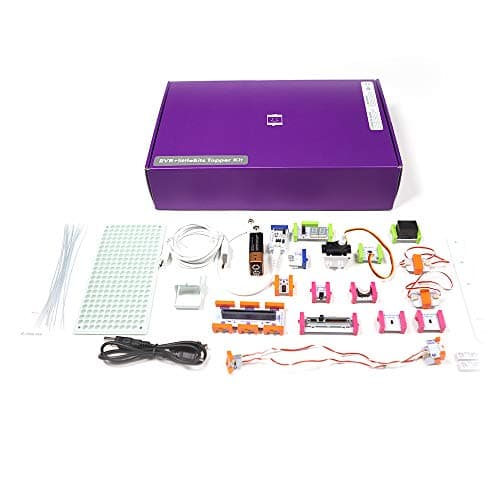 Best for sensors and motors littleBits Invention Kit 29 Bits including proximity, light, sound and temperature sensors, a servo and two motors. | Grades 2-7, for circuits that do something | |
| — | 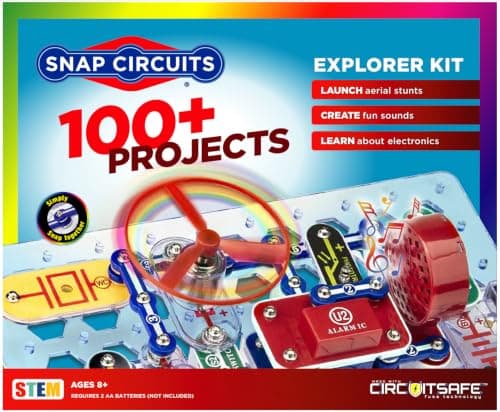 Not the step down Snap Circuits Jr. The smaller Snap set, and every one of its projects is in the Classic manual. | Eight and up, as a smaller Snap set |
5 picks, including 1 we tell you to skip. Ages shown are the manufacturer’s own rating, not ours.
Four ways to build a first circuit
The arithmetic
Circuit formats, as published
| Snap Circuits Classic | Snap parts on a baseplate — 305 projects, 8+ |
|---|---|
| Squishy Circuits | Conductive and insulating dough — 25 LEDs, buzzer |
| Circuit Scribe Basic | Conductive ink pen — 6 modules, age not published |
| littleBits Invention Kit | Snap-together Bits — 29, grades 2-7 |
Match the format to the child
Follows instructions happily: Snap Circuits Classic. Numbered projects are the whole appeal.
Learns with their hands: Squishy Circuits. Shaping dough is a genuinely different route to the same idea.
Draws constantly: Circuit Scribe. A circuit that is a drawing suits a child who thinks in pictures.
Wants it to do something: littleBits. Sensors and motors make the circuit react.
Where these kits stop
Every format here runs on batteries, and none plugs into the wall. A child who wants to go further eventually needs breadboards and discrete components. We do not recommend specific soldering equipment, because we have not tested any — see electronics kits for teenagers for where the kit format ends.
Worth knowing before you buy
Circuit Scribe and littleBits run on 9V batteries and Snap Circuits on four AA. None is mains-powered, and nothing here prepares anyone to work on anything that plugs into a wall.
Squishy Circuits’ dough is a play material — keep it away from children who still mouth things.
Say the unwelcome thing
Do not buy two circuit kits in the same format
A second Snap set or a second dough kit repeats the same idea. If the first kit landed, the better second purchase is a different format — the child meets the same concept from a new angle.
Where to go next
Snap Circuits: every set compared covers the line in depth. Squishy Circuits vs Snap Circuits and invention kits go deeper on two formats. For the same electricity explained rather than built, see physics kits for kids.
In full
Every pick, and what is wrong with it
Published specifications only, each linked back to the page it came from. Where a manufacturer publishes nothing, the row says so — we do not fill blanks in.
1. Best first circuit kit
Snap Circuits Classic
Elenco · SC-300 · maker rates it 8+
305 published projects from 60+ parts — 5.1 per part, the best ratio in the line.
- Projects
- “Build over 300 exciting projects” — manual covers projects 1-305
- Parts
- “Contains over 60 Snap-Together parts”
- Projects per part
- 5.1 — the highest ratio in the line
- Stated age
- “Ages 8+” and “Not for Children under 3 yrs.”
Elenco publishes over 300 projects with the manual covering 1-305, over 60 snap-together parts and a 5.1 projects-per-part ratio, rated 8+, requiring four AA batteries not included.
It leads because it is the deepest. Three hundred and five projects is years of content with nothing consumed.
Replay signal
- Open-ended or one-shot
- The sweet spot of the line — enough parts to invent with, cheap enough not to be an event
- Does anything run out
- Nothing runs out
- Room to grow
- 305 published projects is years of Sunday afternoons at one a week
Why we say so: Elenco publishes 305 numbered projects against 60+ parts. Five projects per part is the highest ratio anywhere in the Snap Circuits line, which is the arithmetic reason this is the set to buy rather than the cheap one or the big one.
What’s wrong with it
Four AA batteries, not included, and a numbered-diagram format.
| Projects | “Build over 300 exciting projects” — manual covers projects 1-305 |
|---|---|
| Parts | “Contains over 60 Snap-Together parts” |
| Projects per part | 5.1 — the highest ratio in the line |
| Stated age | “Ages 8+” and “Not for Children under 3 yrs.” |
| Batteries | “Requires 4 ‘AA’ batteries (not included)” |
| Relationship to SC-100 | Manual includes all SC-100 projects plus 200 new ones |
Every figure above is from Elenco, Snap Circuits Classic. Blanks are shown as “not published” rather than filled in.
2. Best hands-on format
Squishy Circuits Standard Kit
Squishy Circuits · Standard Kit · maker rates it Not published on the maker's product page
Conductive and insulating dough, 25 LEDs and a buzzer — circuits built by shaping clay.
- Conductive dough
- 3 containers, 3.5 oz each — red, green and blue
- Insulating dough
- 1 container, 3.5 oz, white
- LEDs
- 25 — 5 each of red, green, white, yellow and blue
- Also included
- 1 battery holder and 1 piezoelectric buzzer
Squishy Circuits publishes three 3.5 oz containers of conductive dough (red, green and blue), one 3.5 oz container of white insulating dough, 25 LEDs — five each of red, green, white, yellow and blue — a battery holder and a piezoelectric buzzer.
Two doughs is the design. One carries current and one blocks it, so a child discovers insulation by pressing the wrong dough into the gap and watching the LED go dark.
The maker’s product page publishes no age rating and no battery type. We note that gap rather than filling it.
Replay signal
- Open-ended or one-shot
- Open-ended — the dough is shaped into whatever circuit the child imagines
- Room to grow
- Twenty-five LEDs in five colors is enough for circuits with several branches
Why we say so: Squishy Circuits publishes two doughs — three containers that conduct and one that insulates — plus 25 LEDs and a buzzer. Two doughs is the whole design: one carries current and one blocks it, so a working circuit is built by shaping clay rather than by following a diagram.
What’s wrong with it
Neither the age nor the battery type is published on the maker's product page.
| Conductive dough | 3 containers, 3.5 oz each — red, green and blue |
|---|---|
| Insulating dough | 1 container, 3.5 oz, white |
| LEDs | 25 — 5 each of red, green, white, yellow and blue |
| Also included | 1 battery holder and 1 piezoelectric buzzer |
| Stated age | Not published on the maker's product page |
| Battery requirement | Not published on the maker's product page |
Every figure above is from Squishy Circuits, Standard Kit. Blanks are shown as “not published” rather than filled in.
3. Best for a child who draws
Circuit Scribe Basic Kit
Circuit Scribe · Basic Kit · maker rates it Not published
A conductive ink pen and 6 magnetic modules, so the child draws the wire.
- Modules
- 6 — a 9V battery adapter with 9V battery, 2 LEDs, a switch, a blinker and a dimmer
- Pen
- Conductive ink pen — draws working circuits on paper
- Also included
- Circuit stencil, jumper sticker sheet, steel canvas
- Projects
- Inventor's Notebook with 8 pages of circuit drawing projects
Circuit Scribe publishes a conductive ink pen, six modules — a 9V battery adapter with battery, two LEDs, a switch, a blinker and a dimmer — a circuit stencil, a jumper sticker sheet, a steel canvas and an Inventor’s Notebook with 8 pages of projects.
Drawing the wire is the specification that sets it apart. The child sees the circuit as a line on paper, which is closer to a real schematic than any snap-together format.
Replay signal
- Open-ended or one-shot
- Open-ended once the notebook is done — any drawing can become a circuit
- Does anything run out
- The ink runs out; the six modules and the steel canvas do not
- Room to grow
- A Basic Kit Plus publishes a 27-page workbook covering series, parallel and short circuits
Why we say so: Circuit Scribe publishes six magnetic modules including a blinker and a dimmer, a conductive ink pen and a steel canvas. Drawing the wire is the specification that matters — the child sees the circuit as a line they made, which is closer to a real schematic than any snap-together format.
What’s wrong with it
The ink is consumed, and 6 modules is a small component set.
| Modules | 6 — a 9V battery adapter with 9V battery, 2 LEDs, a switch, a blinker and a dimmer |
|---|---|
| Pen | Conductive ink pen — draws working circuits on paper |
| Also included | Circuit stencil, jumper sticker sheet, steel canvas |
| Projects | Inventor's Notebook with 8 pages of circuit drawing projects |
| Stated age | Not published — Circuit Scribe calls it “an entry level kit” |
| Where to buy | Direct from Circuit Scribe; Amazon no longer carries this kit |
| Consumables | The pen's ink is used up; modules and canvas are reusable |
Every figure above is from Circuit Scribe, Basic Kit. Blanks are shown as “not published” rather than filled in.
Not stocked on Amazon. This link goes to the maker and we earn nothing on it.
4. Best for sensors and motors
littleBits Invention Kit
Sphero · Invention Kit · maker rates it Grades 2-7
29 Bits including proximity, light, sound and temperature sensors, a servo and two motors.
- Bits
- 29 in total — 2 power, 7 wire, 12 input and 8 output Bits
- Inputs
- Toggle switch, 2 buttons, 2 slide dimmers, remote trigger, pulse, threshold, and proximity, temperature, light and sound sensors
- Outputs
- LED, buzzer, bargraph, servo, RGB LED, number display, 2 DC motors
- Power
- 1 x 9V battery; a USB power Bit is also included
Sphero publishes 29 Bits — 2 power, 7 wire, 12 input and 8 output — including proximity, temperature, light and sound sensors, a servo, an RGB LED and two DC motors, powered by a 9V battery, screen-free, with 10 challenge cards, for grades 2-7.
Real sensors driving real motors makes this the kit for a child who wants the circuit to react to the world.
Replay signal
- Open-ended or one-shot
- Open-ended — any input can drive any output, so the gadget is the child's design
- Does anything run out
- Nothing runs out apart from the 9V battery
- Room to grow
- Twelve inputs and eight outputs is enough to build working gadgets rather than demonstrations
Why we say so: Sphero publishes 29 Bits including proximity, temperature, light and sound sensors, a servo and two DC motors, run from a 9V battery and published as screen-free. Real sensors driving real motors is what separates an invention kit from a circuit tutorial.
What’s wrong with it
A 9V battery, and it teaches invention more than circuit theory.
| Bits | 29 in total — 2 power, 7 wire, 12 input and 8 output Bits |
|---|---|
| Inputs | Toggle switch, 2 buttons, 2 slide dimmers, remote trigger, pulse, threshold, and proximity, temperature, light and sound sensors |
| Outputs | LED, buzzer, bargraph, servo, RGB LED, number display, 2 DC motors |
| Power | 1 x 9V battery; a USB power Bit is also included |
| Screen | Published as screen-free |
| Challenges | 10 challenge cards, with further lessons via Sphero Central |
| Stated grade | Grades 2-7 |
Every figure above is from Sphero, littleBits Invention Kit. Blanks are shown as “not published” rather than filled in.
Skip this one
Snap Circuits Jr.
Elenco · SC-100 · maker rates it 8+
The smaller Snap set, and every one of its projects is in the Classic manual.
- Projects
- Over 100
- Parts
- 30
- Projects per part
- 3.3
- Stated age
- Ages 8+
Elenco publishes Snap Circuits Jr. at over 100 projects from 30 parts, and publishes that the Classic manual contains all of them plus 200 more.
Buying down the Snap range means buying a subset of the Classic. If the Classic is more than you want, a different format — dough or ink — teaches something new rather than less of the same.
Replay signal
- Open-ended or one-shot
- Semi-open. The manual is a ladder, but 30 parts is enough vocabulary to go off-book
- Does anything run out
- Nothing runs out
- Room to grow
- Every SC-100 project is reprinted in the SC-300 manual, so the step up loses nothing
Why we say so: Elenco publishes over 100 projects from 30 parts, and publishes that the SC-300 manual contains all of the SC-100 projects plus 200 more. That overlap is what makes the upgrade path a genuine upgrade rather than a re-buy.
What’s wrong with it
Over 100 projects from 30 parts, against the Classic's 305 from 60+.
| Projects | Over 100 |
|---|---|
| Parts | 30 |
| Projects per part | 3.3 |
| Stated age | Ages 8+ |
| Projects include | FM radio, AM radio, digital voice recorder, burglar alarm, doorbell |
| Tools needed | None — snap-together parts “require no tools and ensure correct connections” |
| Consumables | None |
Every figure above is from Elenco, Snap Circuits Jr. 100 Experiments. Blanks are shown as “not published” rather than filled in.
We are not putting a buy button on this one. It is easy enough to find if you want it anyway — but we would rather send you to something that gets played with twice.
Questions people actually ask
Frequently asked
What is the best basic electronics kit for kids?
For most children, Snap Circuits Classic — Elenco publishes 305 projects from 60+ parts at 8+, the best ratio in its line. For a hands-on learner, Squishy Circuits builds circuits from conductive dough; for a child who draws, Circuit Scribe uses a conductive ink pen.
What is Squishy Circuits?
A kit that builds circuits from play dough. Squishy Circuits publishes three containers of conductive dough and one of insulating dough, 25 LEDs and a buzzer. The maker's product page does not publish an age rating or battery type, which we note rather than guess. Squishy vs Snap Circuits.
How does Circuit Scribe work?
It uses a pen that draws with conductive ink, so the drawn line becomes a wire. Circuit Scribe publishes the Basic Kit with the pen, six magnetic modules including a blinker and a dimmer, a steel canvas and an 8-page project notebook. It publishes no age for this kit.
Is littleBits still available?
Yes. Sphero lists the littleBits Invention Kit on its own store, with 29 Bits including sensors, a servo and two DC motors, for grades 2-7. Invention kits for kids.
Sources
Where these figures came from
Every specification on this page traces to one of these. If a manufacturer publishes nothing on a point, the page says so rather than filling the gap.
Read next
Where to go from here
Back to Electronics, or read how we pick.